











 Loading...
Robo Butcher is a 2D platform-arena run-and-gun shooter with a clear objective and a repeatable gameplay loop. This updated guide focuses on the mechanics, controls, and practical decisions that can be verified from the current browser build or reliable public listings. It does not reuse old ratings, vote counts, restricted-network claims, or unsupported level totals.
About Robo Butcher
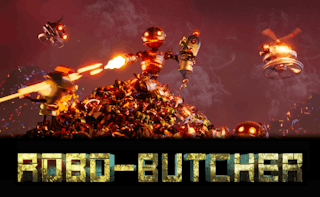
Robo Butcher places a combat robot inside a compact platform arena where enemy machines arrive in waves. Newgrounds credits PitiGameDev and describes power-ups, permanent upgrades, double jumping, gamepad support, and touch controls added through later updates.
The arena includes several heights, so survival depends on vertical movement as well as shooting. Some enemies can move between platforms, while others pressure the player from a distance. Remaining on one platform for too long allows the wave to close from both sides.
Robo Butcher is included in the action collection. That category link helps players find games with a related theme, while the information below focuses on this title’s specific controls and gameplay.
Robo Butcher Game Information
| Game | Robo Butcher |
|---|---|
| Genre | 2D Platform-Arena Run-And-Gun Shooter |
| Developer | PitiGameDev |
| Platform | Web browser on desktop and supported mobile devices |
| Main objective | Fight waves of hostile robots, collect money and temporary power-ups, purchase permanent upgrades, and survive as long as possible. |
How to Play Robo Butcher
Move continually and use jumps or the booster to change levels before enemies surround the current position. Aim with the cursor and fire while crossing open space. Money earned from destroyed robots can be used between attempts to strengthen the Robo Butcher.
Temporary power-up crates are valuable, but they should be collected when the route is safe. Save the dash for escaping a group or crossing a dangerous gap. Enemy types that can follow between platforms should usually be removed first.
Robo Butcher Controls
- Use A and D or the Left and Right Arrow keys to move.
- Use W, Up Arrow, or Space to jump and activate the booster.
- Move the cursor to aim and use the left mouse button to fire.
- Use the right mouse button to dash and S or Down Arrow to drop through platforms.
Control layouts can change between desktop, mobile, and different embedded versions. When the game window displays a mapping that differs from this guide, follow the instruction shown by the current build.
Key Features
- Platform-arena combat against repeated robot waves.
- Temporary power-ups and permanent upgrade purchases.
- Double-jump or booster movement for vertical escapes.
- Keyboard, mouse, gamepad, and added touch support in public versions.
Robo Butcher Tips
- Prioritize enemies that can follow between platforms.
- Keep one platform or open lane available as an escape route.
- Use the dash to leave danger, not simply to move faster.
- Collect crates after creating space around them.
A useful way to improve is to change one decision after each failed attempt. Adjust a jump, route, purchase, aim point, or timing window, then use the next run to confirm whether the change solved the original problem.
Common Mistakes to Avoid
- Remaining on the lowest platform until enemies surround both sides.
- Using every dash immediately and having no escape available.
- Standing still while aiming at distant enemies.
Games Like Robo Butcher
Players who enjoy the main mechanics of Robo Butcher can continue with these related games:
- Robot Police Iron Panther — another action game centered on a powerful combat robot.
- Funny Shooter 2 — a wave-based shooter with unusual enemies and weapon choices.
- Parmesan Partisan — a defensive action game about stopping repeated enemy waves.
- Injection Invasion — a compact action game with dodging and survival pressure.
Robo Butcher FAQ
Who developed Robo Butcher?
PitiGameDev is credited as the author and developer on public listings.
Does Robo Butcher support touch controls?
The author’s update notes state that touch controls were added in version 1.2.
What upgrades are available?
The game includes temporary power-ups during runs and permanent upgrades purchased with money earned from combat.
Final Thoughts
Robo Butcher rewards active movement and target priority. The most reliable strategy is to keep an escape path open, eliminate mobile threats first, and use upgrades to make later waves more manageable.
About ABCya3
ABCya 3 is an independent browser-game platform that organizes action, adventure, arcade, basketball, car, sports, and other games into clear collections. Its game guides focus on objectives, controls, related titles, and practical tips while avoiding claims that cannot be confirmed for the current version.