





 Loading...
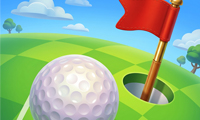
Tiny Golf King is a compact mini-golf game where you aim each shot, choose the right power, and guide the ball through obstacle-filled courses toward the hole. The game includes more than 45 levels that test accuracy, angle control, timing, and route selection. Dragging sets up the shot, while releasing sends the ball across the course. Players can explore this precision-based sports challenge through ABCya3.
The objective is easy to understand, but later courses demand more control because barriers, narrow passages, and awkward shooting positions reduce the margin for error. A powerful shot is not always the best option, especially when the ball needs to stop near a corner or avoid leaving a useful route.
Quick Answer
Tiny Golf King is a single-player mini-golf game developed by Kiz10.com. Drag with the mouse or your finger to aim and set the strength of the shot, then release to strike the ball. Guide it around course obstacles and into the hole to complete each level. More than 45 stages introduce increasingly difficult angles and layouts.
Tiny Golf King Game Overview
Tiny Golf King turns mini golf into a sequence of short browser-game challenges. Each level presents a small course with a starting position, a hole, and obstacles that influence the safest route.
The game belongs to the golf, sports, physics, and precision genres. Its drag-and-release interaction makes it a natural addition to the target and timing games available in the Sports games category.
A typical level begins with the ball resting somewhere on the course. You inspect the path to the hole, choose an aiming direction, adjust the strength of the shot, and release when the setup looks suitable.
Completing a course unlocks the next challenge. Progress depends on learning how different shot strengths behave and how the ball responds when it contacts course boundaries or obstacles.
Quick Facts
| Detail | Information |
|---|---|
| Game | Tiny Golf King |
| Genre | Mini golf, sports, physics, and precision |
| Developer | Kiz10.com |
| Publisher | Not publicly confirmed |
| Release Date | June 28, 2026, based on the verified browser listing |
| Platform | HTML5 web browser on compatible desktop and mobile devices |
| Controls | Mouse drag and release or touchscreen drag and release |
| Difficulty | Easy to learn with progressively harder course layouts |
| Modes | Single-player |
What Is Tiny Golf King?
Tiny Golf King is a browser-based mini-golf game focused on completing compact courses through accurate shots. The central objective is to move the ball from its starting position into the hole.
Every shot requires two decisions: direction and power. Direction determines the initial route, while power affects how far the ball travels and whether it stops in a useful position.
Course obstacles complicate otherwise direct shots. Walls can alter the ball’s path, narrow openings demand precise alignment, and poorly judged power can leave the ball against an inconvenient boundary.
The game contains more than 45 levels. Each course provides a new arrangement, encouraging players to adjust their technique instead of repeating the same shot on every stage.
Key Features
- More than 45 compact mini-golf levels
- Drag-and-release aiming controls
- Adjustable direction and shot power
- Obstacle-based courses with increasingly difficult layouts
- Ball movement influenced by angles and collisions
- Short levels suitable for quick sessions
- Mouse and touchscreen-compatible interaction
- Single-player progression focused on accuracy
The strongest feature is the connection between simple controls and precise outcomes. Every shot uses the same basic gesture, but small changes in direction or power can produce a very different final position.
Tiny Golf King Controls
Desktop Controls
- Mouse: Move the pointer around the active play area.
- Left Mouse Button: Click and hold to prepare a shot.
- Drag: Adjust the aiming direction and shot strength.
- Release: Let go of the mouse button to strike the ball.
Mobile and Tablet Controls
- Touch and hold: Select the ball and begin preparing the shot.
- Drag: Adjust the direction and power using the on-screen guide.
- Release: Lift your finger to send the ball across the course.
The exact direction of the drag may depend on the aiming interface displayed by the active build. Check the guide line or power indicator before releasing your first shot.
How to Play Tiny Golf King
- Start a level and locate the ball, hole, walls, and visible obstacles.
- Study whether a direct shot to the hole is available.
- Click or touch the ball and keep the input held.
- Drag until the aiming guide points along the intended route.
- Adjust the drag distance to select a suitable amount of power.
- Release to strike the ball.
- Observe where the ball stops and how it reacts to any collisions.
- Use the new position to plan the next shot.
- Continue until the ball reaches the hole and the level is completed.
Beginners should use controlled shots until the power system becomes familiar. Maximum strength can be useful on long open paths, but it often creates problems near corners, barriers, and the hole.
When a straight route is blocked, look for an indirect angle. Using a boundary to redirect the ball can sometimes provide a cleaner approach than forcing it through a narrow opening.
Difficulty and Progression
The opening courses introduce aiming and power control with relatively clear routes. These levels help players understand how far the ball moves after short, medium, and strong releases.
Later stages require more careful angle selection. Obstacles may limit direct access to the hole, while narrow lanes make excessive power more difficult to control.
The distance judgment is similar to the shot planning in Sweeper Curling. Both games ask players to choose an initial direction and strength before watching a physics-based object travel toward a target.
Progression is primarily level-based rather than competitive. A multiplayer mode, equipment-upgrade system, or online ranking feature is not consistently documented for this browser version.
Tiny Golf King Tips and Strategies
- Study the full course first. Look beyond the nearest obstacle and identify where the ball should finish before the final shot.
- Use moderate power while learning. Controlled shots provide clearer feedback and are easier to correct than maximum-strength attempts.
- Aim for useful stopping positions. A shot does not need to reach the hole if it creates a simple angle for the next attempt.
- Allow for continued movement. Release slightly before the desired stopping point because the ball keeps rolling after the initial strike.
- Use walls carefully. Bank shots can bypass obstacles, but a small change in impact angle can send the ball toward an unintended area.
- Avoid narrow routes at high speed. Strong shots leave less time and space for the ball to remain aligned with a tight passage.
- Change one variable after a miss. Adjust either the angle or power first so you can identify which part of the previous shot was inaccurate.
- Reduce power near the hole. A gentle final shot is usually safer than sending the ball beyond the target and creating another difficult approach.
The most reliable strategy is to plan backward from the hole. Find a clear final approach, then determine which earlier shot can place the ball in that position.
Why You’ll Enjoy Tiny Golf King
Tiny Golf King presents a clear sports objective without complex keyboard controls or lengthy match rules. Players can understand the central action after attempting only one or two shots.
The game also provides immediate feedback. When a shot finishes too short, too long, or at the wrong angle, the result shows what should be changed on the next attempt.
More than 45 levels give the aiming system room to develop. New course layouts introduce different routes and obstacles while keeping the core controls consistent.
The short level structure works well for brief sessions. Players can complete one course, retry a difficult stage, or continue through several levels without beginning a long competitive match.
Who Should Play Tiny Golf King?
Tiny Golf King suits players who enjoy mini golf, target games, physics challenges, compact puzzles, and precision-based sports. Its basic controls are approachable for beginners, while later courses reward patience and careful adjustment.
Players who enjoy direct aiming challenges such as Hit The Target! may appreciate the same focus on placing an object accurately. Tiny Golf King adds course boundaries and multiple-shot planning to the target-based objective.
The game may also appeal to players who prefer thoughtful actions over fast character movement. No universal age rating is confirmed across every browser host, so parents should review the active build when selecting games for younger players.
Similar Games
HOOPS The Game challenges players to guide a ball through a sequence of hoops. It shares Tiny Golf King’s emphasis on aiming, power control, and learning from the result of each attempt.
Hoop World combines basketball targets with acrobatic movement and release timing. It offers a more active challenge while still rewarding accurate approaches to a clearly marked goal.
Unicycle Hero uses physics-based throwing events and balance controls. Players who enjoy judging force and trajectory may appreciate its unusual sports challenges.
Ping Pong Go replaces turn-based golf shots with table-tennis rallies and accuracy challenges. It is a suitable alternative for players who want another accessible sports game with faster reactions.
Why Play on ABCya3?
ABCya3 organizes browser games into practical categories and provides descriptions of their controls, objectives, progression, and central mechanics. This makes it easier to compare Tiny Golf King with other golf, target, physics, and arcade sports games.
Browser performance can vary according to the device, network, and embedded game provider. Use an updated browser, allow the game area to finish loading, and follow the aiming instructions displayed by the active version.
Frequently Asked Questions
What type of game is Tiny Golf King?
Tiny Golf King is a single-player mini-golf and precision sports game. Players aim shots, adjust power, avoid course obstacles, and guide the ball into the hole.
Who developed Tiny Golf King?
The HTML5 browser version is credited to Kiz10.com.
How many levels are in Tiny Golf King?
The distributed browser version includes more than 45 levels. Each course introduces a new layout or accuracy challenge.
How do you control the ball?
Click or touch and hold, drag to adjust the aim and power, and release to strike the ball. The on-screen guide helps show the planned direction.
How do you complete a level?
Guide the ball through the course and into the hole. You may need several shots when obstacles prevent a direct route.
Can Tiny Golf King be played on mobile?
Yes. The HTML5 game supports compatible mobile and tablet browsers with touchscreen drag-and-release controls.
Is Tiny Golf King multiplayer?
No multiplayer mode is consistently documented for this version. The browser game is presented as a single-player level challenge.
Does Tiny Golf King save progress?
A universal account-based or cloud-save system is not publicly confirmed. Progress may be stored locally, so changing devices or clearing browser data could reset completed levels.
What should I do when a direct shot is blocked?
Look for a safe bank angle or use one shot to place the ball in a better position. Trying to force the ball through a narrow route with maximum power can make the next shot harder.
Conclusion
Tiny Golf King turns drag-and-release controls into a focused challenge involving direction, power, obstacles, and course planning. Its early levels are approachable, while later layouts require more accurate angles and better control over where the ball stops.
The game is a good match for players who enjoy compact sports challenges and physics-based puzzles without complicated controls. ABCya3 provides a convenient place to try this mini-golf experience and continue into related target, throwing, basketball, and precision games.
Use the mouse or touch to play