









 Loading...
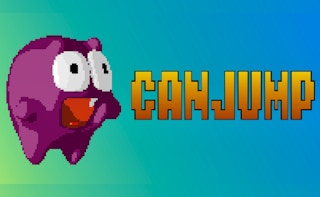
Canjump is a one-touch platform game by PitiGameDev. Its official itch.io page describes a character that can only jump and lists four modes, turning a single input into a test of obstacle timing, rhythm, and route awareness.
The old article correctly identified the one-button idea but mixed verified details with broad platform-game advice. This version keeps the official developer and mode information while avoiding assumptions about controls that are not shown by the hosted build.
About Canjump
Because horizontal movement is handled by the game, the player’s only major decision is when to jump. That restriction makes the timing window easy to study: a failure usually means the jump began too early, too late, or without considering the next landing.
Canjump belongs in the arcade collection because it supports short repeated attempts and modes focused on completion, limited lives, time, or endless survival. The exact mode names should match the current menu, but the official page confirms four different modes. Browse more titles in the arcade collection.
Canjump Game Information
| Game | Canjump |
|---|---|
| Genre | One-button platform game |
| Developer | PitiGameDev |
| Platform | HTML5 web browser |
| Main objective | Jump at the correct time to clear obstacles and progress through the available modes. |
How to Play Canjump
Begin with the normal or introductory mode and watch the character’s automatic pace. Press once on a simple obstacle to learn the jump height and how long the character remains airborne.
Plan the landing before the jump. Clearing one obstacle is not enough when the character lands directly in front of a second hazard. A later takeoff can sometimes create a safer position even if the first obstacle looks more dangerous.
In time or endless modes, keep the same rhythm until the spacing changes. Do not increase the input rate merely because the screen becomes faster; use the obstacle distance as the cue.
Canjump Controls
- Click, tap, press the Spacebar, or use the supported gamepad button to jump in common versions.
- Activate the game window before pressing a keyboard input.
- Use the control displayed by the current build if only one of these options is enabled.
Control mappings can change between desktop, mobile, and different embedded releases. When the game window displays instructions that differ from this guide, follow the prompt shown by the current build.
Key Features
- A platform game designed around a single jump input.
- Four game modes listed on the official developer page.
- Short stages and restart-friendly attempts.
- HTML5 support for browser play.
Canjump Tips
- Learn the jump arc on the first safe obstacle.
- Watch where the character will land.
- Keep a steady rhythm through repeated obstacle spacing.
- Delay the jump when an early landing would create a second problem.
- Use the normal mode to learn before attempting limited-life or time challenges.
A useful improvement method is to change one decision after each failed attempt. Adjust the route, timing, aim, purchase, or movement pattern, then use the next run to see whether that change solved the original problem.
Common Mistakes to Avoid
- Pressing repeatedly instead of timing one clean jump.
- Looking only at the obstacle being cleared.
- Changing rhythm without a change in spacing.
- Assuming the character can stop or move backward.
Games Like Canjump
These games share a related control style, genre, objective, or progression loop:
Canjump FAQ
Who created Canjump?
The official itch.io page credits PitiGameDev.
What is the main control?
Canjump is designed around a single jump input, commonly click, tap, Spacebar, or a supported gamepad button.
How many modes are listed?
The official page describes four different game modes.
What is the most useful beginner habit?
Learn the jump arc first and plan the landing position before trying to complete a stage quickly.
Final Thoughts
Canjump shows how a single input can support a demanding arcade loop. Once the jump arc becomes familiar, progress depends on reading spacing and choosing a landing that prepares the next move.
About ABCya3
For more browser games, practical control guides, and curated categories, visit ABCya3. The site organizes action, arcade, sports, driving, adventure, and casual titles so players can compare related games without relying on outdated ratings or unsupported claims.