










 Loading...
War of Tanks 3D is a 3D tank combat game with a clear objective and a repeatable gameplay loop. This updated guide focuses on the mechanics, controls, and practical decisions that can be verified from the current browser build or reliable public listings. It does not reuse old ratings, vote counts, restricted-network claims, or unsupported level totals.
About War of Tanks 3D
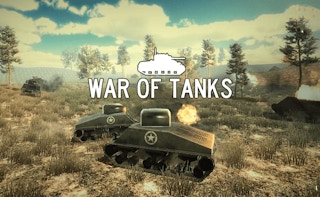
War of Tanks 3D places the player in a slower, heavier combat vehicle where positioning matters as much as aim. Tanks cannot usually change direction as quickly as characters in a standard shooter, so entering an open area without checking the surroundings can make retreat difficult.
Public browser descriptions agree on the central control pattern: move the tank with keyboard input, aim with the mouse, and fire the cannon at enemy targets. Because several similarly named tank games exist, this guide avoids assigning an unverified developer, campaign length, or historical setting to the current embedded build.
War of Tanks 3D is included in the action collection. That category link helps players find games with a related theme, while the information below focuses on this title’s specific controls and gameplay.
War of Tanks 3D Game Information
| Game | War of Tanks 3D |
|---|---|
| Genre | 3D Tank Combat Game |
| Developer | Not clearly identified for the current browser build |
| Platform | Web browser; exact controls can vary by provider |
| Main objective | Move across the battlefield, aim the tank cannon, destroy enemy vehicles, and avoid being trapped in exposed positions. |
How to Play War of Tanks 3D
Use cover and distance before starting a duel. Point the front of the tank toward the main threat, fire when the target is visible, and move again before several enemies can focus on the same position. Corners can protect the hull, but they can also block the turret if the tank is parked too close.
Do not chase a damaged enemy into an area you have not checked. A tank that survives with low health can still be useful, while an aggressive pursuit may expose the side or rear to another opponent. Clear nearby threats and maintain a route for reversing or turning away.
War of Tanks 3D Controls
- Use WASD or the Arrow keys to move the tank in common browser versions.
- Move the mouse to aim the turret or targeting direction.
- Click the primary mouse button to fire when the cannon is ready.
- Follow any additional on-screen prompt for camera, zoom, or special actions.
Control layouts can change between desktop, mobile, and different embedded versions. When the game window displays a mapping that differs from this guide, follow the instruction shown by the current build.
Key Features
- 3D tank movement with heavier turning than a standard shooter.
- Mouse aiming combined with keyboard navigation.
- Battlefields that reward cover, distance, and route awareness.
- Short combat loops suited to replay and tactical improvement.
War of Tanks 3D Tips
- Keep the tank moving after firing when several enemies are nearby.
- Use corners for cover without blocking the turret.
- Turn the strongest armor toward the most immediate threat.
- Check the escape route before chasing a damaged opponent.
A useful way to improve is to change one decision after each failed attempt. Adjust a jump, route, purchase, aim point, or timing window, then use the next run to confirm whether the change solved the original problem.
Common Mistakes to Avoid
- Parking in the center of an open battlefield.
- Aiming at one target while another vehicle approaches from the side.
- Driving forward continuously when reversing would preserve cover.
Games Like War of Tanks 3D
Players who enjoy the main mechanics of War of Tanks 3D can continue with these related games:
- World Of Wartanks — another tank-focused battle game.
- Clash Of Tanks — a tactical tank game built around deploying and countering units.
- Hills Of Steel — a side-view tank game with terrain and aiming physics.
- Battle Simluator Counter Stickman — a battle simulation game with unit positioning.
War of Tanks 3D FAQ
What type of game is War of Tanks 3D?
It is a 3D tank combat game focused on movement, aiming, firing, and battlefield positioning.
What controls should I expect?
Common browser versions use WASD or Arrow keys for movement and the mouse for aiming and firing.
Why is no developer listed here?
Several similarly named games appear online, and the current browser build does not provide enough reliable information to attribute it confidently.
Final Thoughts
War of Tanks 3D becomes easier when the player treats every shot as part of a positioning cycle: find cover, aim, fire, and relocate. Staying mobile and preserving an escape route are more reliable than rushing directly at every target.
About ABCya3
ABCya3 is an independent browser-game platform that organizes action, adventure, arcade, basketball, car, sports, and other games into clear collections. Its game guides focus on objectives, controls, related titles, and practical tips while avoiding claims that cannot be confirmed for the current version.